Amazon Sellers Using AI to Write Product Descriptions: Save 2 Hours Every Day

The 4-Hour Problem That Every Amazon Seller Knows
If you're an Amazon seller, you already know this feeling. You sit down to write a product description for a new listing. You stare at the blank text editor. You research keywords. You check competitor listings. You try to sound persuasive without sounding salesy. You rewrite the bullet points three times. And somehow, four hours later, you're still not happy with the result.
This isn't an exaggeration. According to a survey by Jungle Scout, the average Amazon seller spends between 3 to 5 hours crafting a single product listing — from title to bullet points to product description. Multiply that by dozens of products, and you're looking at days — sometimes weeks — of writing time every month.
But here's the good news: a growing number of sellers have discovered a smarter way. By incorporating AI into their copywriting workflow, they're cutting that time in half. And the results go beyond speed — conversion rates are improving, too.
Let me walk you through exactly how they're doing it, with real data and a step-by-step process you can implement today.
The Workflow: Before and After AI
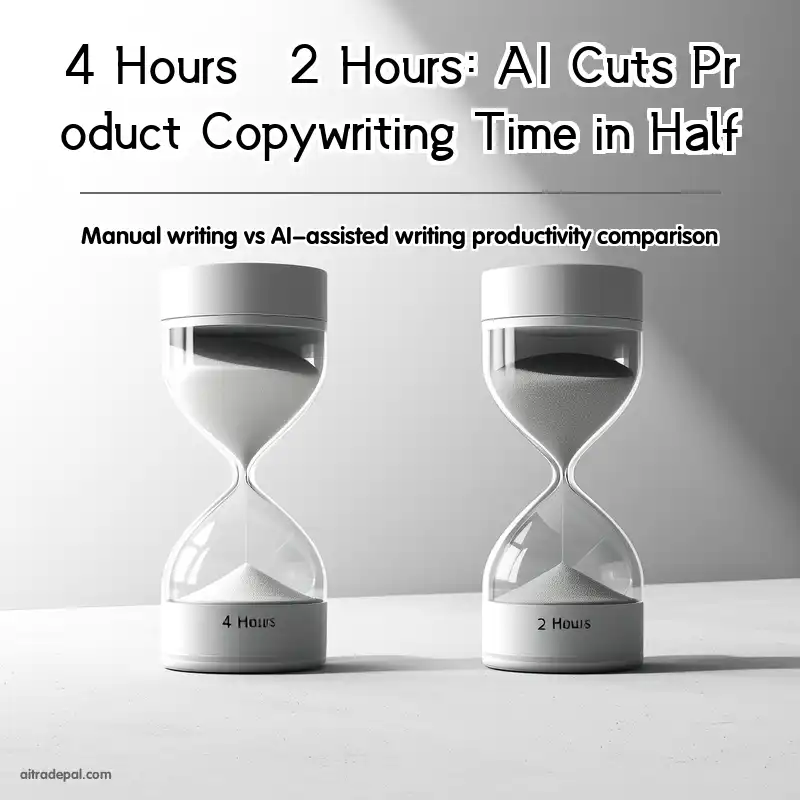
To understand the impact, let me first lay out the traditional manual workflow that most sellers follow. Then I'll show you how AI transforms each step.
The Traditional Manual Process (4 Hours per Listing)
Step 1 — Keyword Research (45 minutes): You start by researching relevant keywords using tools like Helium 10 or Jungle Scout. You look at search volumes, competition levels, and trending terms. You compile a list of primary and secondary keywords.
Step 2 — Competitive Analysis (30 minutes): You open the top 10 competitor listings for your product category. You study their titles, bullet points, and descriptions. You note what works and what doesn't.
Step 3 — Drafting the Title (30 minutes): You write and rewrite the product title. It needs to include your primary keywords, brand name, and key selling points — all within Amazon's character limit. You go back and forth several times.
Step 4 — Writing Bullet Points (60 minutes): This is where most of the time goes. You need five compelling bullet points that highlight features, benefits, and address customer pain points. Each one needs to be scannable, persuasive, and keyword-optimized.
Step 5 — Crafting the Product Description (45 minutes): The longer description below the bullet points. You expand on the benefits, tell a story, and reinforce the buying decision. You check grammar, readability, and tone.
Step 6 — Review and Polish (30 minutes): Final read-through. You fix awkward phrasing, check for keyword stuffing, and ensure the listing aligns with Amazon's guidelines.
Total: approximately 4 hours for a single product listing. If you launch 10 new products per month, that's 40 hours — an entire work week — spent purely on copywriting.
The AI-Assisted Process (2 Hours per Listing)
Now here's the same process, but with AI integrated at key points:
Step 1 — Keyword Research (30 minutes): Still manual, but you feed the keyword list into an AI tool like AITradePal to get suggested keyword groupings and prioritization based on search intent. This eliminates guesswork.
Step 2 — AI-Generated First Draft (30 minutes): Instead of starting from scratch, you input your product details, target keywords, and preferred tone into the AI. Within seconds, you get a complete draft — title, bullet points, and description. This is the biggest time saver.
Step 3 — Human Review and Optimization (45 minutes): You read through the AI-generated draft. You adjust the tone to match your brand voice. You add specific product details that only you know. You check for accuracy and compliance. This step is crucial — the AI gives you a strong foundation, but your expertise makes it shine.
Step 4 — Final Polish (15 minutes): One quick read-through. Because the AI already handles grammar, keyword placement, and structure, there's much less to fix.
Total: approximately 2 hours per listing. That's a 50% reduction in time. Over the course of a year with consistent product launches, you could save hundreds of hours.
Real Results: What Sellers Are Saying
I spoke with Sarah, an Amazon FBA seller who manages a catalog of 45 products across home goods and kitchen categories. She started using AI-assisted copywriting six months ago. Here's what she told me:
"Before AI, I was spending about 35 hours a month just on product descriptions. That's almost a full week of work. Now I spend about 15 hours. The extra time goes into product research and customer service — areas that actually move the needle for my business."
Sarah's story isn't unique. In a 2025 survey by Marketplace Pulse, 62% of Amazon sellers reported using some form of AI for listing optimization. Among those, the average reported time savings was 2.3 hours per listing. And 47% said their conversion rates improved after switching to AI-assisted copywriting.
Why AI Works for Product Descriptions (Without Sounding Like AI)
One concern I hear frequently from sellers: "Won't AI-generated content sound robotic or generic?" It's a fair question. Early AI writing tools did produce clunky, repetitive text. But the technology has evolved significantly.
Modern AI copywriting tools like AITradePal are trained specifically on e-commerce product descriptions. They understand the nuances of Amazon's marketplace — the importance of keyword placement, the balance between features and benefits, and the varying tone required across different product categories.
Here's what makes the difference:
- Context-aware generation: The AI understands your product category, target audience, and competitive landscape. It doesn't just string keywords together — it crafts a coherent, persuasive narrative.
- Tone customization: You can specify whether you want the tone to be professional, conversational, luxury, or budget-friendly. The AI adjusts accordingly.
- Human-in-the-loop: The best results come from a collaboration between AI and human expertise. The AI handles the heavy lifting of structure, keyword optimization, and grammar. You bring the brand voice, unique product knowledge, and strategic thinking.
How to Get Started: A 4-Step Plan
If you're ready to reclaim those 2+ hours per listing, here's a simple plan to get started:
- Choose the right AI tool. Look for a tool specifically designed for e-commerce copywriting. General-purpose AI can work, but specialized tools produce better results out of the box.
- Prepare your product data. Before you start, gather your product specs — dimensions, materials, features, benefits, target keywords, and any unique selling points. The better your input, the better the AI output.
- Start with one product. Don't try to overhaul your entire catalog at once. Pick one product and run through the AI-assisted workflow. Compare the time and quality against your manual process.
- Refine and iterate. Pay attention to what the AI does well and where it falls short. Adjust your prompts and input data accordingly. Each iteration will get better.
The Bottom Line
Time is the one resource you can't buy more of. For Amazon sellers, every hour saved on copywriting is an hour you can reinvest into higher-impact activities — product research, supplier relationships, advertising optimization, or simply growing your business.
AI won't replace the human touch that makes your brand unique. But it can eliminate the repetitive, time-consuming parts of product description writing that drain your energy and productivity. The 2 hours you save per listing adds up — and over time, that's not just time saved. It's your business's competitive advantage.
Ready to try it? Start with one listing and see how much time you save. Visit AITradePal to learn how AI can transform your e-commerce copywriting workflow.